
Installing Smart Home Systems Step-by-Step
- Bulmaro Guizar
- Dec 15, 2025
- 4 min read

Upgrading your home with smart technology is an exciting journey. It transforms your living space into a more comfortable, secure, and efficient environment. Installing smart home systems might seem complex at first, but with the right approach, it becomes a straightforward and rewarding process. I’m here to guide you through every step, ensuring you feel confident and prepared to enhance your home with the latest innovations.
Getting Started with Installing Smart Home Systems
The first step in installing smart home systems is understanding your needs. What do you want to achieve? Are you looking for better security, energy savings, or convenience? Defining your goals helps you choose the right devices and plan the installation effectively.
Start by listing the areas you want to upgrade. Common smart home features include:
Smart lighting for energy efficiency and ambiance control
Security cameras and smart locks for enhanced safety
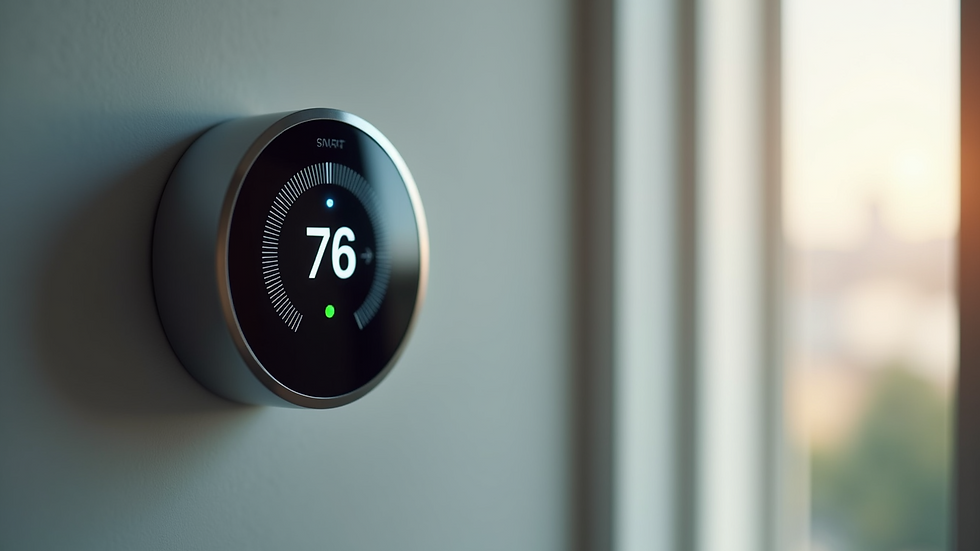
Thermostats that learn your schedule and save energy
Voice assistants to control devices hands-free
Once you have a clear vision, research compatible devices that fit your lifestyle and budget. Many smart home products work together seamlessly, but it’s essential to check compatibility before purchasing.
Next, assess your home’s Wi-Fi coverage. A strong, reliable network is the backbone of any smart home system. Consider upgrading your router or adding Wi-Fi extenders to eliminate dead zones.
Finally, create a simple installation plan. Decide which devices to install first and where they will be placed. This plan will keep the process organized and efficient.

Step-by-Step Guide to Installing Smart Home Systems
Now that you have a plan, it’s time to start the installation. Follow these steps to ensure a smooth setup:
Prepare Your Tools and Devices
Gather all necessary tools such as screwdrivers, drills, and mounting hardware. Unbox your smart devices and read the manuals carefully.
Install Smart Hubs or Controllers
Many smart home systems require a central hub to connect devices. Place the hub in a central location with good Wi-Fi coverage.
Set Up Individual Devices
Begin with simpler devices like smart bulbs or plugs. Install them according to the instructions, usually by replacing existing bulbs or plugging into outlets.
Configure Devices Using Apps
Download the manufacturer’s app and follow the setup wizard. Connect each device to your Wi-Fi network and customize settings.
Integrate Devices for Automation
Use your smart home app or voice assistant to create routines. For example, set lights to turn on at sunset or locks to engage when you leave.
Test Each Device Thoroughly
Confirm that every device responds correctly to commands. Troubleshoot any connectivity issues promptly.
Secure Your Network
Change default passwords and enable two-factor authentication where possible. This step protects your smart home from unauthorized access.
Throughout the process, take your time and double-check each step. Installing smart home systems is about precision and patience.
How much does a smart home installation cost?
Understanding the cost of installing smart home systems is crucial for budgeting. Prices vary widely depending on the devices you choose and the complexity of the installation.
Basic setups with smart plugs, bulbs, and a voice assistant can start around $200 to $500.
Mid-range systems including smart locks, cameras, and thermostats typically range from $500 to $1,500.
Advanced installations with integrated security systems, lighting automation, and professional setup can exceed $2,000.
Labor costs also play a role. Hiring professionals ensures a flawless installation but adds to the expense. However, professional installation often saves time and prevents costly mistakes.
When budgeting, consider future expansion. Investing in a scalable system now means you can add devices later without replacing the entire setup.
For those in the Bay Area, partnering with a trusted provider like New Era Smart Home offers transparent pricing and expert service tailored to your home’s unique needs.
Tips for a Successful Smart Home Installation
To make your smart home installation a success, keep these practical tips in mind:
Start small and expand gradually. Begin with a few devices and add more as you become comfortable.
Label your devices. This helps when managing multiple gadgets and troubleshooting.
Keep firmware updated. Regular updates improve security and functionality.
Use strong, unique passwords. Protect your network and devices from cyber threats.
Plan for power backup. Consider battery backups for critical devices like security cameras.
Consult professionals when needed. Complex systems benefit from expert installation and advice.
By following these tips, you’ll enjoy a seamless and secure smart home experience.
Enhancing Your Home with Smart Technology
Installing smart home systems is more than just adding gadgets. It’s about creating a living space that adapts to your lifestyle and enhances your daily routine. Imagine arriving home to lights that turn on automatically, a thermostat that adjusts to your comfort, and security systems that give you peace of mind.
The right smart home setup increases your property’s value and reduces energy costs. It also offers convenience that makes everyday tasks simpler and more enjoyable.
If you want to explore professional options, consider reaching out to New Era Smart Home. Their expertise in smart home installation ensures your system is reliable, efficient, and tailored to your needs.
Embrace the future of living with confidence. Installing smart home systems is a smart investment in comfort, security, and innovation. Take the first step today and transform your home into a modern sanctuary.


Comments